Check official bridge closure schedules
Bridge traffic congestion is often predictable. Most major delays stem from scheduled maintenance, holiday traffic surges, or large-scale events like marathons that close lanes. Finding the official closure schedule for your route is the first step in avoiding 2026 bridge traffic.
Start by identifying the specific bridge authority or department of transportation that manages your route. For example, the SFMTA publishes detailed holiday week advisories, noting when bridges like the Maloney Bridge close to all but essential traffic. Similarly, local municipalities like Palm Beach, FL, release planned traffic impact statements months in advance for construction barge movements and bridge openings.
Pay close attention to seasonal patterns. Major road races often trigger temporary, full-day closures. The London Marathon, for instance, closes Tower Bridge to vehicles annually. These schedules are fixed, meaning you can plan detours or shift travel times to avoid the worst of the gridlock.
Once you have the dates, input them into your navigation app as planned stops or alerts. This turns a potential surprise into a managed part of your itinerary. Knowing when a bridge is closed allows you to choose alternative routes or times before you hit the road.
Use AI tools for live congestion data
Navigation apps have shifted from simple map displays to predictive engines. They use historical traffic patterns combined with real-time sensor data to forecast congestion before it forms. This allows you to reroute around bridge bottlenecks or lane reductions before they impact your travel time.
1. Enable location services
Open your preferred navigation app and ensure location services are active. AI prediction models rely on your current position and movement speed to calibrate their traffic density calculations. Without this data, the app can only offer generic route suggestions rather than dynamic, real-time adjustments.
Verify official closure schedules
While AI tools are excellent for dynamic congestion, they may not always reflect planned construction closures. Agencies like DDOT or local transit authorities publish fixed schedules for bridge maintenance. Cross-reference your app's suggestion with official sources to ensure you aren't routed toward a planned lane reduction that the algorithm hasn't yet indexed.
Check for bridge-specific alerts
Before you depart, quickly scan for any special event closures. Major events often trigger temporary bridge closures that override normal traffic patterns. For example, marathons or parades can close specific bridges for extended periods. A quick check of local news or transit authority social media can save you from a dead-end detour.
Adjust routes for construction zones
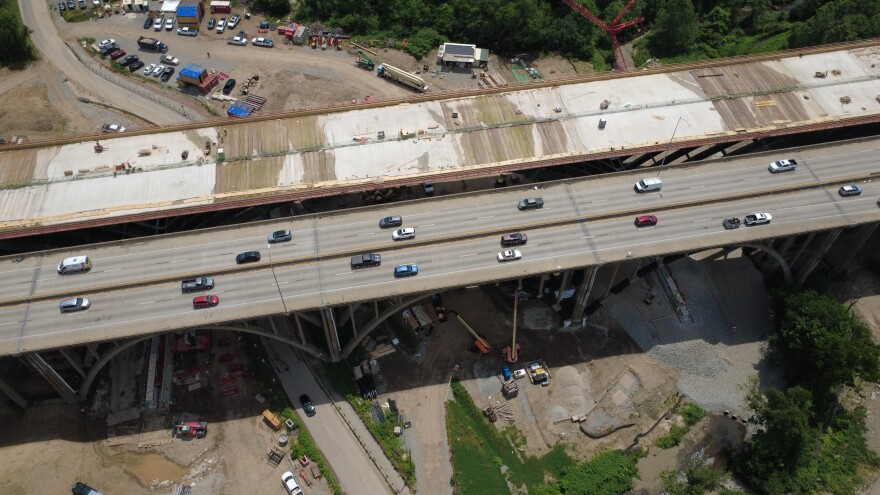
Summer 2026 brings a wave of bridge maintenance and infrastructure upgrades that will narrow lanes and close spans. Treating construction zones as static obstacles leads to wasted time; instead, treat them as dynamic variables in your route planning. By checking local transit authority alerts before you leave, you can pivot to alternate crossings that bypass the bottleneck entirely.
Check for temporary lane reductions
Many major bridges will operate with intermittent single-lane closures through the summer. If your route includes a known maintenance corridor, verify the current phase of work. For example, the Maryland Department of Transportation has confirmed that current bridge repair phases continue through summer 2026, often requiring drivers to navigate single-lane shifts. Always check for active lane reduction alerts before entering the bridge approach.
Reroute around scheduled closures
Some bridges close completely for specific events or intensive work windows. The Tower Bridge in London, for instance, closes to vehicles during the London Marathon in April 2026. While this is a seasonal event, it signals how infrastructure projects can disrupt normal flow. If your bridge is scheduled for closure, check the official city or state transportation website for alternative crossing points. Do not rely on general navigation apps alone, as they may not account for sudden construction detours.
Use real-time traffic data
Construction zones change daily. A lane that is closed in the morning might reopen by afternoon, or vice versa. Use real-time traffic apps that integrate local DOT (Department of Transportation) feeds. These tools often show live camera views or incident reports that static maps miss. If you see a red line on a bridge approach, assume a work zone is active and look for an alternate route immediately.
Verify event-day restrictions
Major events like marathons, parades, and festivals often trigger temporary bridge closures or lane restrictions. These closures can turn a standard commute into a multi-hour delay. If your route crosses a bridge during a high-profile event, you need to verify the specific access rules before you leave.
Event DayBridge traffic patterns shift dramatically on event days. Organizers frequently close bridges to vehicles to protect pedestrians or manage crowd control. These restrictions are usually time-bound but can be strict. Ignoring them means you will likely find yourself stuck in detour traffic or blocked at a checkpoint.
Check official city transportation websites and local news outlets for closure schedules. Many cities publish detailed maps showing which bridges are affected and the exact hours of restriction. For example, during the London Marathon, Tower Bridge closes to vehicles from 8am to 8:30pm. Always assume the worst-case scenario and plan for alternative routes or delayed departure times.
Review your commute checklist
Before you turn the key, run through this four-step verification. Bridge traffic in 2026 is defined by unpredictable closures and temporary restrictions, so a quick pre-drive audit saves more time than any detour.
-
Confirm bridge status: Check official DOT or bridge authority sites for real-time lane closures or full shutdowns.
-
Verify alternative routes: Map a backup path that avoids known construction zones or weight-restricted roads.
-
Check event schedules: Large local events often trigger sudden road closures or increased congestion near bridge approaches.
-
Review toll and access rules: Ensure your transponder is active and you’re aware of any new height or weight restrictions.
Bridge traffic 2026: frequently asked: what to check next
These answers address specific closure dates and restrictions for Bridge Traffic 2026. Check these schedules before planning your route.
No comments yet. Be the first to share your thoughts!